
|

|
 Paper Features
Features that make a big difference
|
|

|
Make Great Impressions
2 types save time
|
|
|
|
Copy Paper
Good value for everyday copies
|
|
|
|
Multipurpose Paper
This paper does it all
|
|
|
|
Inkjet Paper
Reduces smudging for better results
|
|
|
|
Laser Paper
Reduces smearing for better results
|
|
|
|
Photo Paper
Brings out the best in your pictures
|
|
|
|
Recycled Paper
It's easy to go green
|
|
|
|
Specialty Papers
For brochures, resumes and more
|
|
|
|
|
Paper Glossary
|
|

|
|
|
|
|
|

|
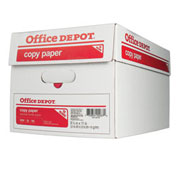 2 Types Save Time
• Store a supply of low cost Copy or Multipurpose paper for every day
• Keep a smaller stack of Inkjet/Laser or Photo paper for proposals or presentations: You'll be ready to impress at a moment's notice!
Tips for selecting a paper for your copier, fax machine inkjet or laser printer
Higher Brightness for Color Printing
Today's easy access to color printing has increased the demand for brighter papers, critical for true color reproduction. Nothing can create the striking contrast needed to make crisp, clear, sharp images like a high brightness sheet.
Shade
When you're shopping for brightness, also consider the shade. More neutral whites usually produce truer flesh tones and lighter colors with softer detail, while a subtle blue-white shade enhances rich, vibrant colors and sharp detail.
Smoothness
Another consideration for choosing paper is smoothness. High resolution jobs require smoother papers to capture and maintain the detail that is being printed. Papers designed for color copiers should provide an ultra-smooth surface in order to provide the clear, sharp images usually associated with color printing.
Paper Weight
While a 20 lb. basis weight is considered standard for copying and electronic imaging applications, heavier weight papers provide more bulk and stiffness, and are ideal for a higher quality feel and consistent performance.
Loading Paper
Before loading any paper in a copier or laser printer feed tray, always be sure to fan the ream. Sometimes, a simple step such as this can make all the difference with your equipment's performance. Also, periodically check the condition of the laser printer's feed rollers. While new rollers are relatively inexpensive and easy to replace, it's amazing how much wear they can experience in a short amount of time and how much difference they can make in the runnability of your equipment.
|

|
 Paper Features
|
Copy Paper 
|
|